 Ledge Tools
The Mac tools you use every day, in one menu bar app
Ledge starts with clipboard history and adds a set of handy tools for your desktop, files, system, network and other Macs. The free version covers daily use; Pro is a one-time purchase.
macOS 14 or later · Try every Pro feature free for 7 days
What it does
Items marked Pro need Pro. Everything else is in the free version.
Clipboard
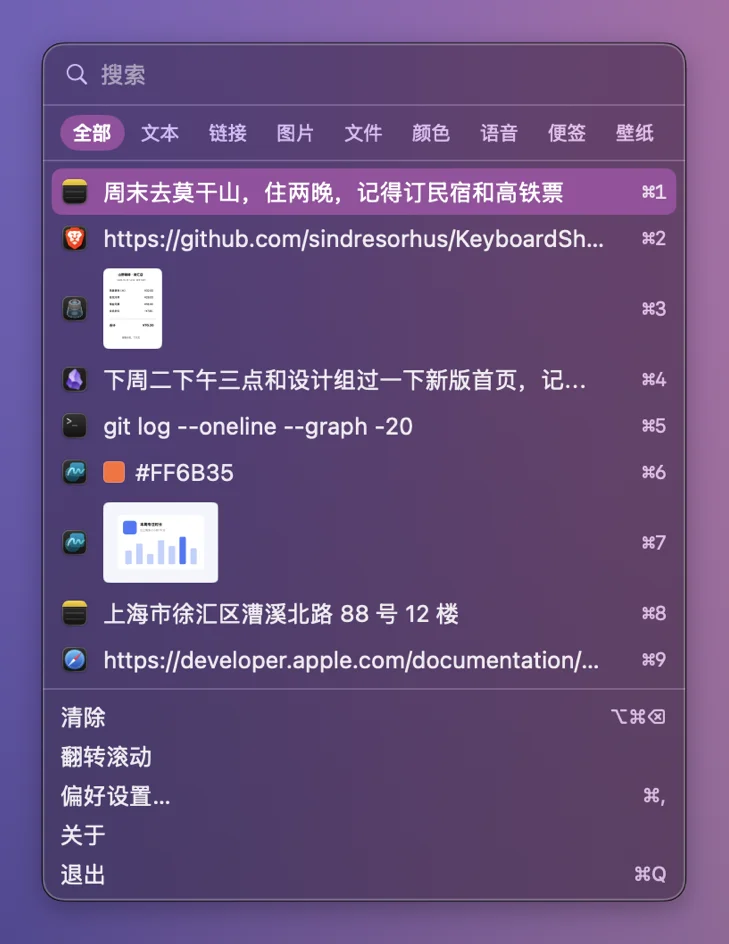
- Keeps everything you copy: text, images, links, files. Up to 100,000 items
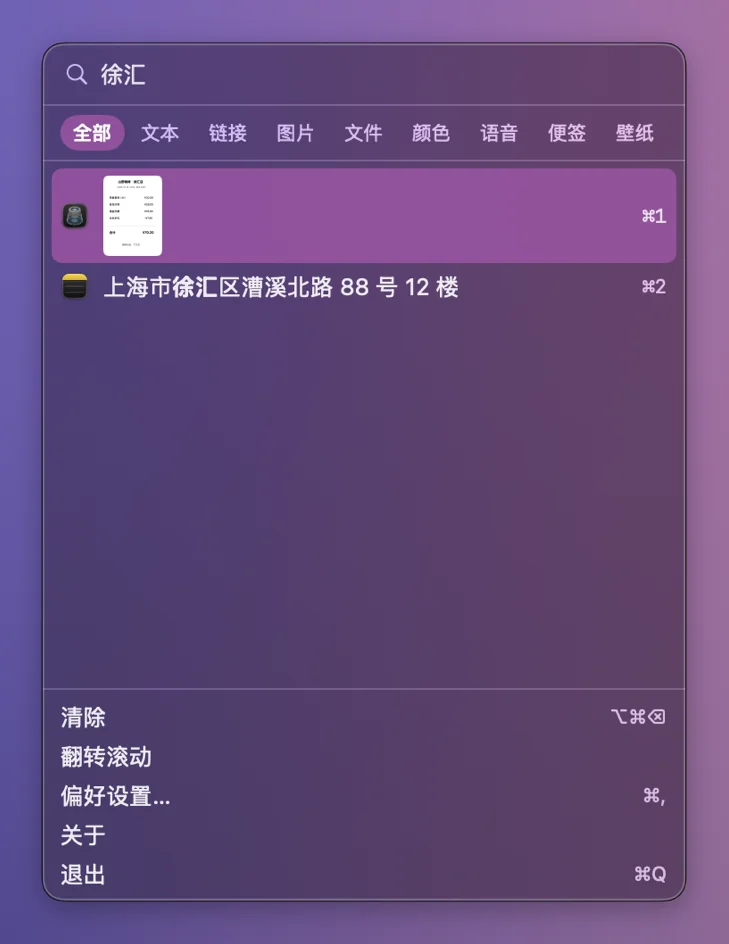
- Filter by type, search, merge several items, paste as plain text
- Pin the items you use most
- Find text inside images Pro
- Search by meaning, not exact words Pro
- Small text tools like QR codes; select-to-translate Pro
- Hold a key, speak, and get tidy typed text
Desktop
- Sticky notes on your screen
- Pin screenshots on top for reference; pick colors from anywhere
- Desktop widgets: clock, weather, calendar, Pomodoro (Pro: unlimited, plus system status and pinned-clips widgets)
- Wallpaper library and online wallpapers Pro
- Tidy up menu bar icons and hide the ones you rarely use Pro

Files and images
- Finder right-click: compress, extract, convert, new file
- Image compression; video and GIF compress and trim Pro
- Merge PDFs, make ID photos
- Upload to eight image hosts, delete remotely Pro
- File drop and local network file sharing over HTTP Pro
- Scan from your printer/scanner Pro

System
- Battery charge limit to keep your battery healthy
- Disk space map; disk speed test and health info Pro
- Free up memory, see what uses your CPU Pro
- Junk cleanup, app uninstaller, login items Pro
- External display brightness Pro
- Auto-close annoying pop-ups Pro

Network Pro
- Live network speed in the menu bar, traffic per app
- One-click diagnosis and repair when the internet drops
- DNS check that finds the fastest server
- Hosts file editor

Across Macs
- Use one keyboard and mouse across two Macs, clipboard included Pro
- Virtual displays
- Remote control another Mac Pro

Sync between Macs Pro
Settings, clipboard text and upload history stay in sync across your Macs. Your data lives in your own iCloud Drive, WebDAV or GitHub Gist, never on our servers.
Requirements
macOS 14 or later, Apple silicon or Intel.
Your data stays on your Mac
Clipboard content is stored only on your Mac. Online OCR, translation and image hosts use services you set up yourself.
Pay once
Pro is not a subscription and never renews by itself. One license covers 3 Macs. See pricing